
Channels
Channels are named communication groups that control who receives posts, announcements and notifications. Each channel has a list of members and roles that define what each member can do — such as post, moderate or read only.
Channels can be used to target communications at specific groups of people within your OMC — for example, a channel for directors only, or one for all unit owners in a particular block.
List View
Section titled “List View”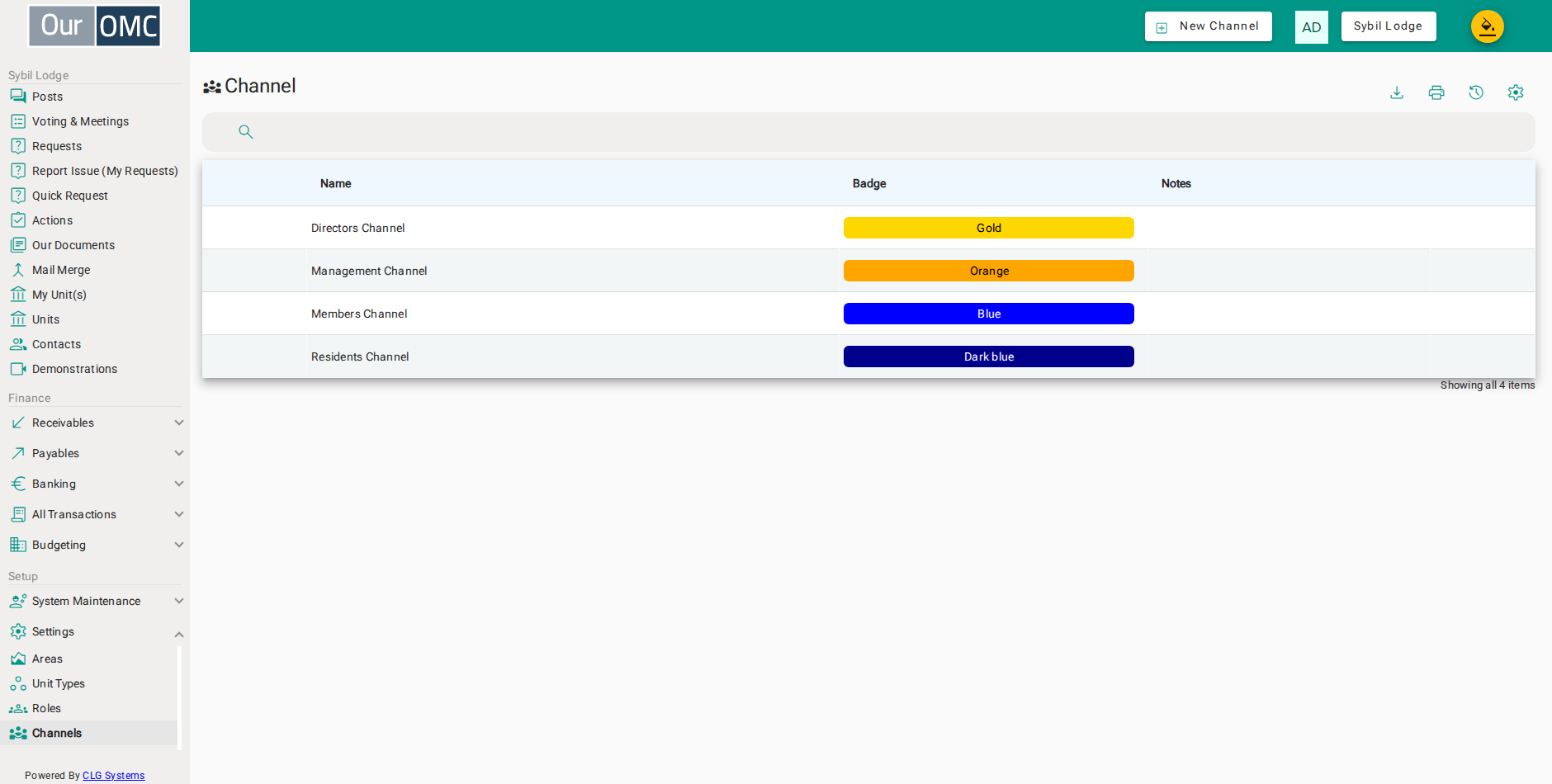
| Column | Type | Description |
|---|---|---|
| Name | text | The name of this communication channel, displayed to members in the portal. |
| Badge | badge | The colour badge used to visually identify this channel. |
| Notes | longText | Description or internal notes about the purpose of this channel. |
Detail View
Section titled “Detail View”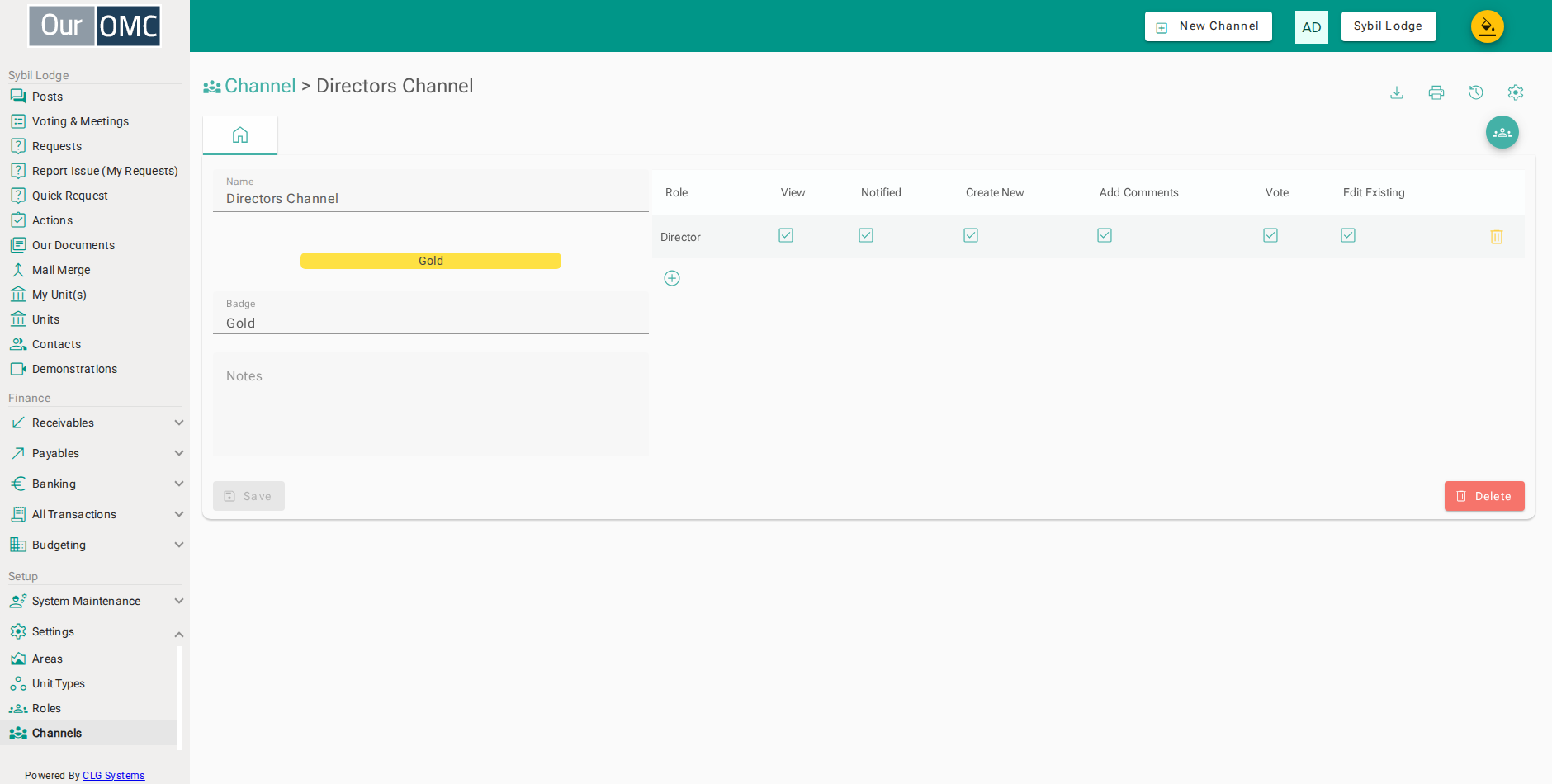
| Field | Type | Description |
|---|---|---|
| Name | text | The name of this communication channel, displayed to members in the portal. |
| Badge | badge | The colour badge used to visually identify this channel. |
| Badge | picklist | The colour scheme used to distinguish this channel in lists and notifications. |
| Notes | longText | Description or internal notes about the purpose of this channel. |
| Roles | grid | Defines which roles can access and interact with this channel, and what actions they can perform. |
| Role | picklist | The role being granted access to this channel. |
| View | boolean | Whether this role can view content in this channel. |
| Notified | boolean | Whether this role receives notifications for new content in this channel. |
| Create New | boolean | Whether this role can create new posts or documents in this channel. |
| Add Comments | boolean | Whether this role can add comments to existing content. |
| Vote | boolean | Whether this role can vote in ballots in this channel. |
| Edit Existing | boolean | Whether this role can edit existing content in this channel. |
| icon | Click to remove item from list |
Available Actions
Section titled “Available Actions”| Action | Description |
|---|---|
Show People | Show the people associated to this channel |