
Roles
Roles define what access and permissions a user has within the system. Each role controls which modules, pages and actions a user can see and use.
Roles are assigned to team members and portal users to ensure each person only has access to the functionality relevant to their responsibilities. The system ships with a set of standard roles; you can define custom roles tailored to your team’s structure.
List View
Section titled “List View”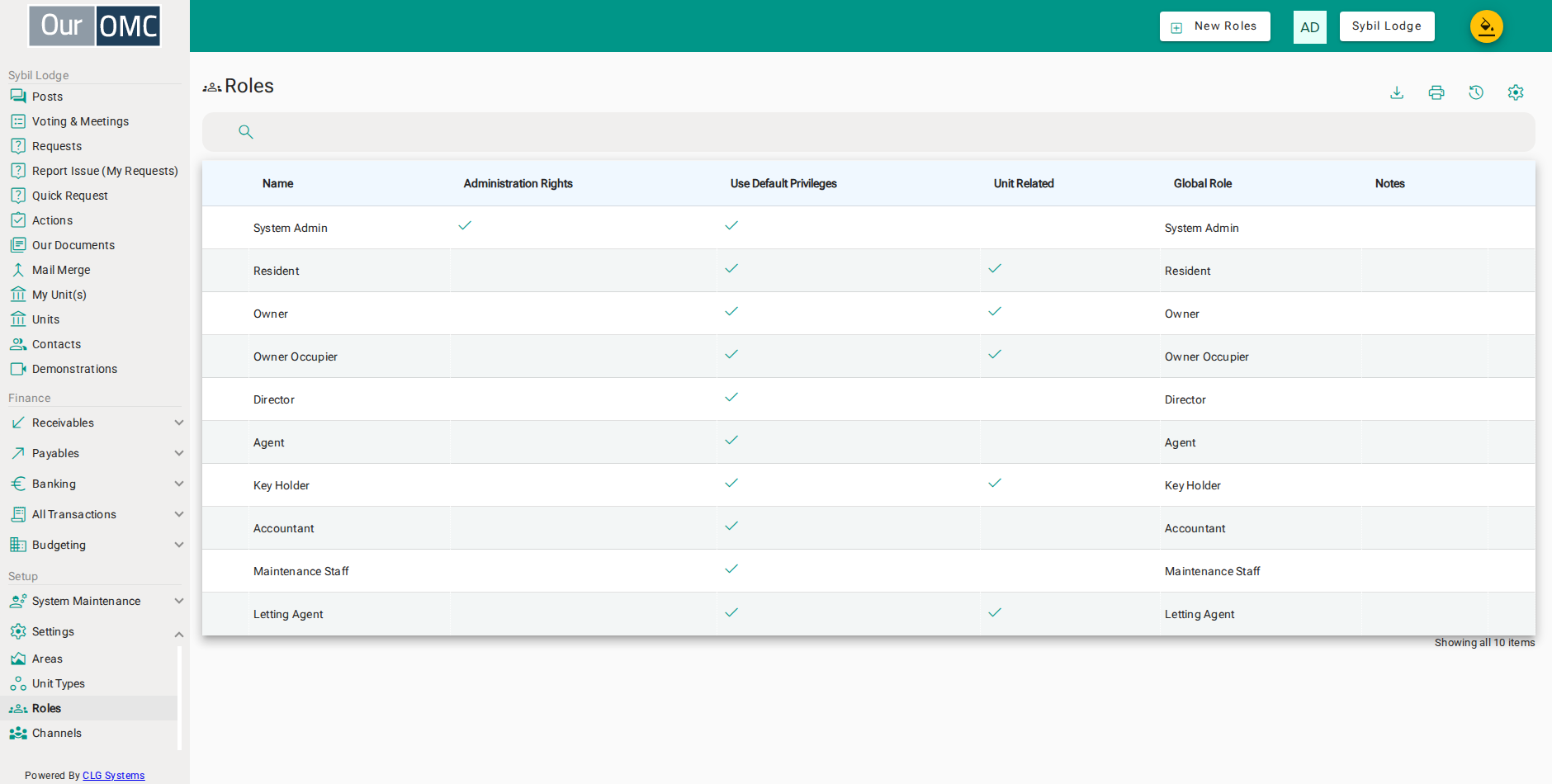
| Column | Type | Description |
|---|---|---|
| Name | text | The name of this role as displayed throughout the system. |
| Administration Rights | boolean | When enabled, this role has full administration rights to manage the OMC's settings and data. |
| Use Default Privileges | boolean | When enabled, this role uses the system default channel access privileges rather than custom settings. |
| Unit Related | boolean | Whether this role is associated with a specific unit — Owner and Resident roles are unit-linked, while Director is not. |
| Global Role | picklist | Maps this OMC-level role to a global system role, which determines system-wide capabilities such as voting rights and portal access level. |
| Notes | longText | Additional notes about this role and its intended use. |
Detail View
Section titled “Detail View”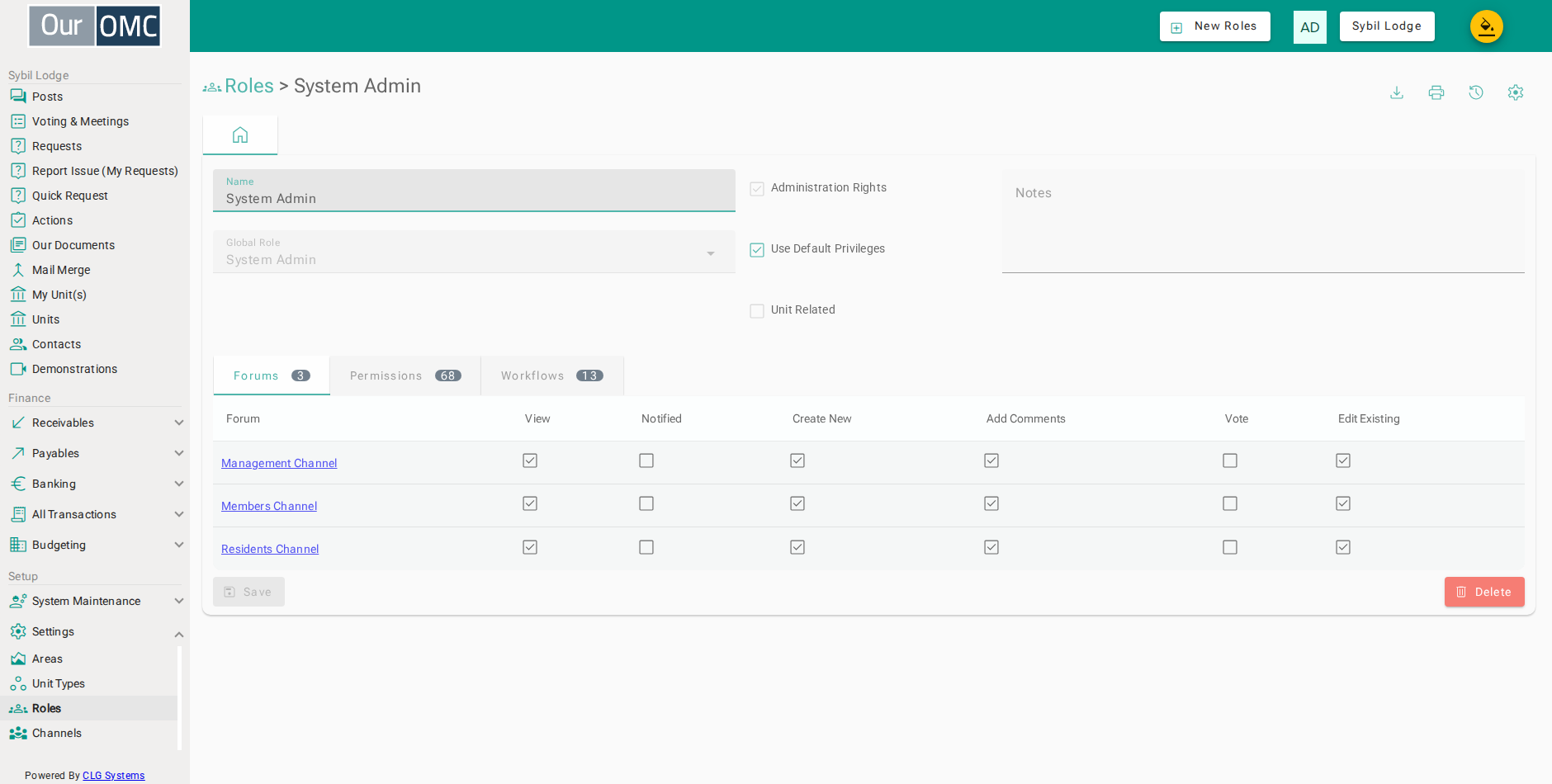
| Field | Type | Description |
|---|---|---|
| Name | text | The name of this role as displayed throughout the system. |
| Administration Rights | boolean | When enabled, this role has full administration rights to manage the OMC's settings and data. |
| Use Default Privileges | boolean | When enabled, this role uses the system default channel access privileges rather than custom settings. |
| Unit Related | boolean | Whether this role is associated with a specific unit — Owner and Resident roles are unit-linked, while Director is not. |
| Global Role | picklist | Maps this OMC-level role to a global system role, which determines system-wide capabilities such as voting rights and portal access level. |
| Notes | longText | Additional notes about this role and its intended use. |
| Forums | grid | Channel access permissions assigned to this role. |
| Forum | link | The channel these permissions apply to. |
| View | boolean | Whether this role can view content in this channel. |
| Notified | boolean | Whether this role receives notifications for new content. |
| Create New | boolean | Whether this role can create new content in this channel. |
| Add Comments | boolean | Whether this role can add comments. |
| Vote | boolean | Whether this role can vote in ballots. |
| Edit Existing | boolean | Whether this role can edit existing content. |
| Permissions | grid | Fine-grained data access permissions — controls what data records can be viewed, created, edited or deleted. |
| Name | text | The data object or feature this permission applies to. |
| View Items | boolean | Whether this role can view the list of items. |
| View Items Details | boolean | Whether this role can view individual item details. |
| Create New | boolean | Whether this role can create new items. |
| Edit Existing | boolean | Whether this role can edit existing items. |
| Delete | boolean | Whether this role can delete items. |
| Notes | longText | Notes about this permission setting. |
| Workflows | grid | Workflow action permissions — controls which status transitions and actions this role can trigger. |
| Workflow | text | The workflow this permission applies to. |
| Action | text | The specific action within the workflow. |
| Description | text | A description of what this action does. |
| Permitted | boolean | Whether this role is permitted to trigger this action. |