
Unit Types
Units can be marked with a unit type, by default Apartment, Duplex, House and Commercial are available. You can add your own as you see fit.
A unit type can also be sub divided into categories, to be more precise.
It is possible to target posts, ballots, documentation and mail merges to specific unit types.
Primarily though, unit types are usually used to drive the lease schedules. A schedule can be created that specifically includes or excludes particular unit types and/or categories, to determine which units contribute to the budget for that lease schedule, and in which proportion.
Review how you apportion your budget to the different units before deciding on a unit type/category setup for your OMC.
List View
Section titled “List View”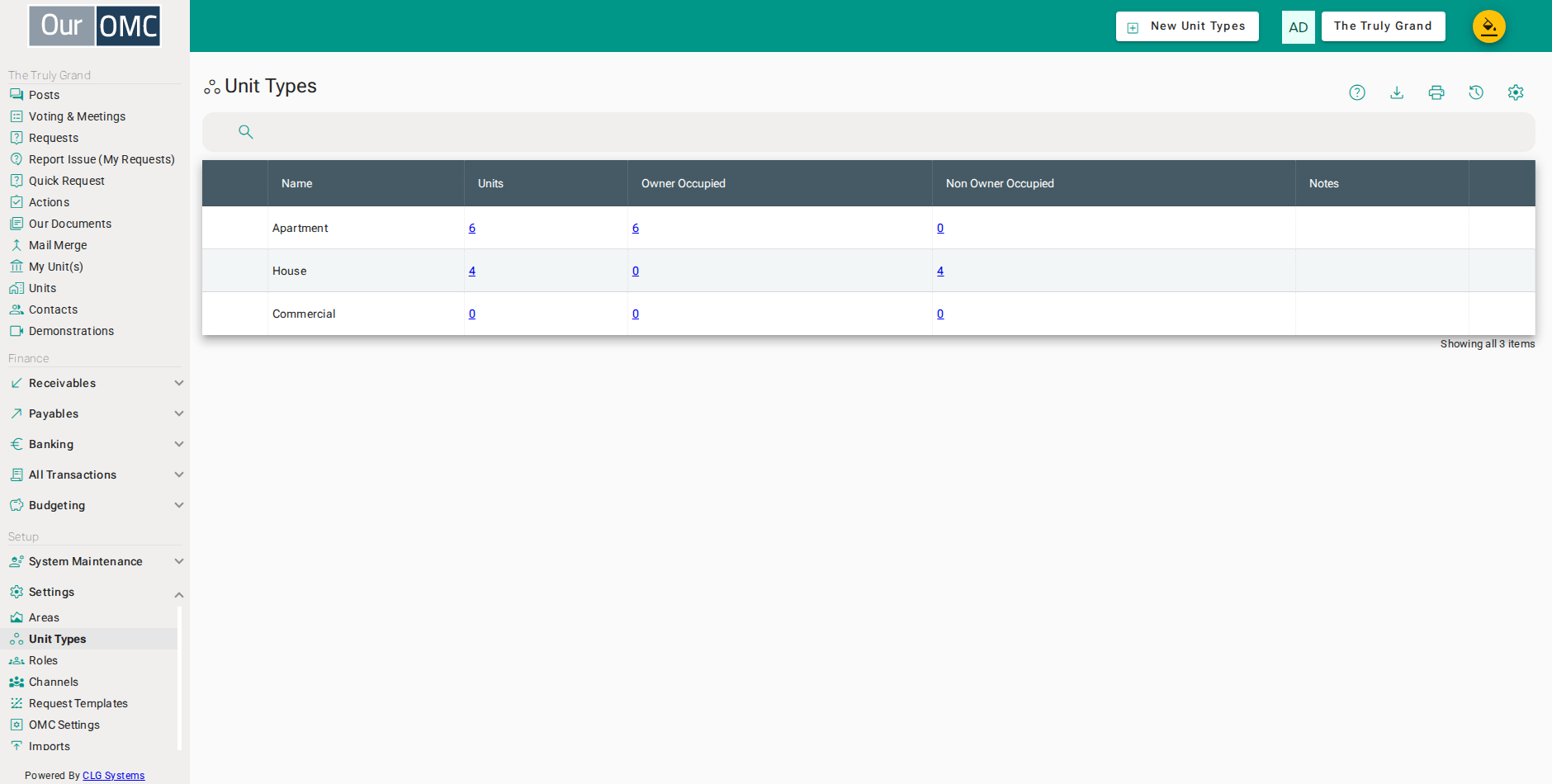
| Column | Type | Description |
|---|---|---|
| Name | text | The name for this unit type |
| Units | link | The number of units that exist of this type in the system |
| Owner Occupied | link | The number of units which are owner occupied |
| Non Owner Occupied | link | The number which are not owner occupied |
| Notes | longText | Any special notes about how this unit type should be used |
Detail View
Section titled “Detail View”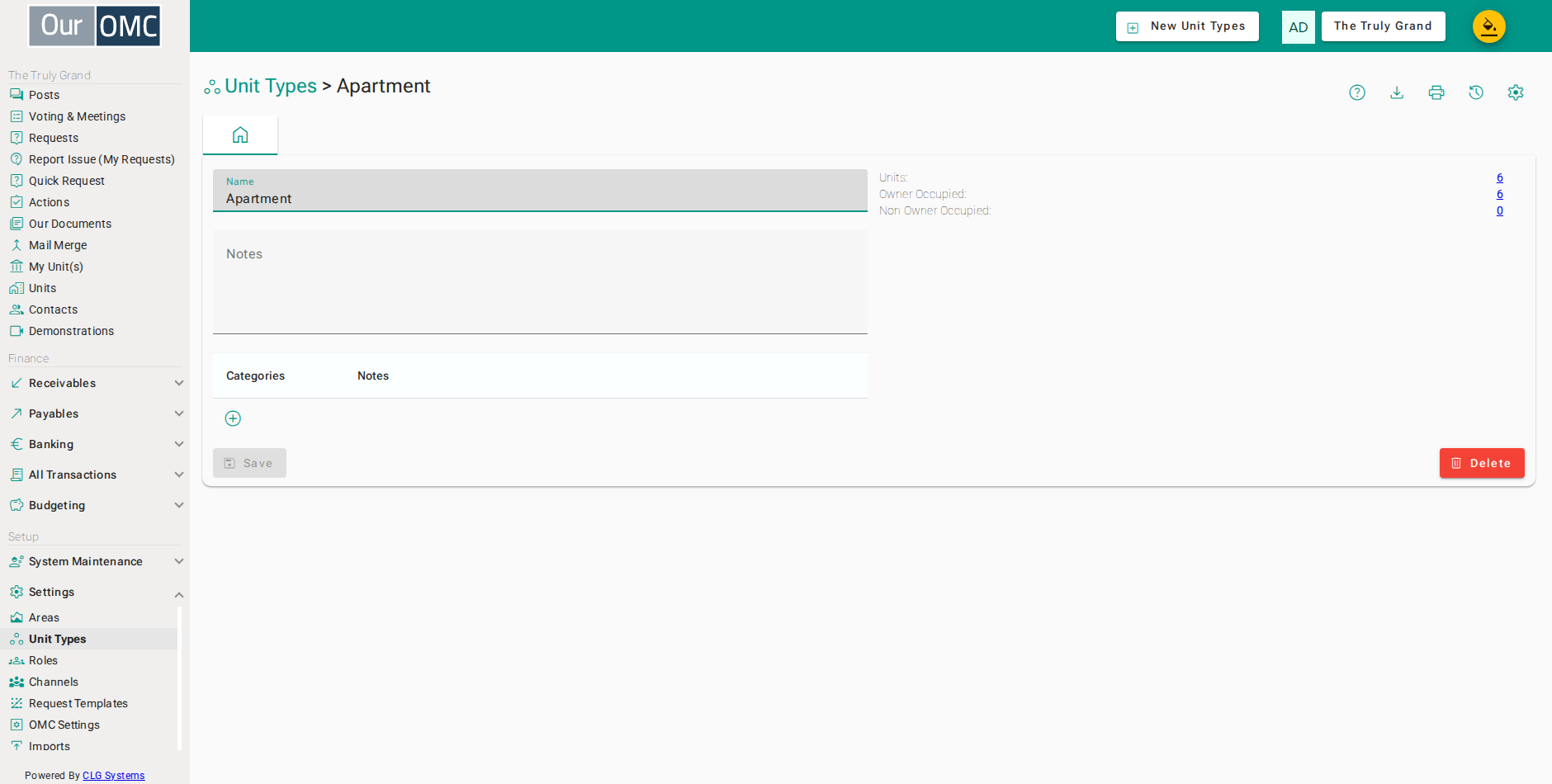
| Field | Type | Description |
|---|---|---|
| Name | text | The name for this unit type |
| Units | link | The number of units that exist of this type in the system |
| Owner Occupied | link | The number of units which are owner occupied |
| Non Owner Occupied | link | The number which are not owner occupied |
| Notes | longText | Any special notes about how this unit type should be used |
| Categories | grid | Provide a breakdown of the unit type into sub categories |
| Categories | text | A name for this category |
| Notes | longText | Any useful notes about how this category should be used |
| icon | Click to remove item from list |
Examples
Section titled “Examples”Creating a Unit Type
Section titled “Creating a Unit Type”Add a new type (and optionally sub-categories) to support a unit classification that does not exist in the default set.
- Click [Settings / Unit Types] on the main menu
- Click on the new button
- Enter [Dummy] into the [Name] field
- Type [This is for dummy units only, such as unidentified lodgements. All units of this type should be excluded from all schedules] in the [Notes] field
- Click on the save button
Editing a Unit Type
Section titled “Editing a Unit Type”Update the name or categories of an existing unit type to keep your classification scheme accurate.
- Click [Settings / Unit Types] on the main menu
- Click on the first table row
- Type [Apartment categories are aligned with lease schedule] in the [Notes] field
- Add a new category to the unit type
- Enter a name for the new category: Category 1
- Click the delete button to remove the first category
- Click on the save button
Deleting a Unit Type
Section titled “Deleting a Unit Type”Remove a unit type that is no longer in use. The type must not be assigned to any unit before deletion.
- Click [Settings / Unit Types] on the main menu
- Click on the first table row
- Click on the delete button
- You would click [Delete] on the confirmation dialog