
Documents
Documents are like “Wiki Pages”, the OMC can create content and share it directly with members and residents.
They are a lot like posts, but posts are intended for timely information, e.g. announcements. Whereas documents are intended for long lived information, e.g. the house rules.
On each document page, files can also be attached, allowing PDFs, Pictures, Spreadsheets etc. to be shared.
Residents can only see documents that are explicitly shared with the residents channel.
Owners can see documents that are shared in BOTH the resident channel and in the management channel.
Residents & Owners can view and download documents but cannot upload or delete them.
Documents can be structured, so below a particular document, you may find both attachments and additional document pages.
Contact the management team if you believe a document is missing or out of date.
List View
Section titled “List View”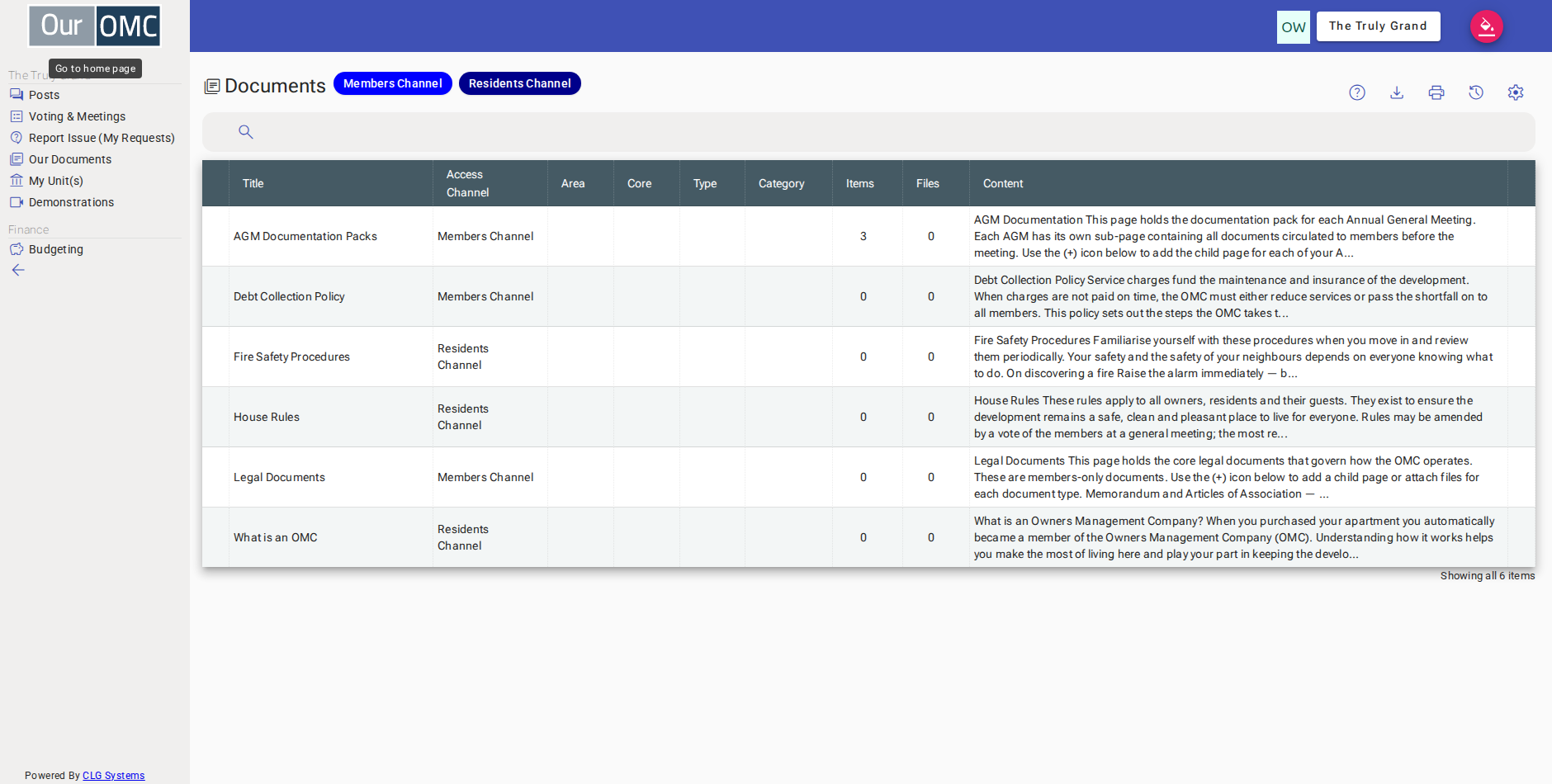
| Column | Type | Description |
|---|---|---|
| Title | text | The name of this document. |
| Access Channel | picklist | The channel that controls who can see this document — for example, the Members Channel means it is visible to unit owners, while the Residents Channel includes all residents. |
| Area | text | The area of the development this document relates to, if it applies to a specific zone rather than the whole OMC. |
| Core | text | The core or block within the development this document applies to, where the OMC is divided into cores. |
| Type | text | The unit type this document is associated with, if it applies to a particular type of unit in the development. |
| Category | text | The unit category this document is associated with, if it applies to a particular category of unit. |
| Items | number | The number of sub-documents nested within this document — click into the document to browse them. |
| Files | number | The number of files attached to this document that you can download. |
| Content | richText | The body text of this document, where the OMC has provided a written description or summary alongside any attached files. |
Detail View
Section titled “Detail View”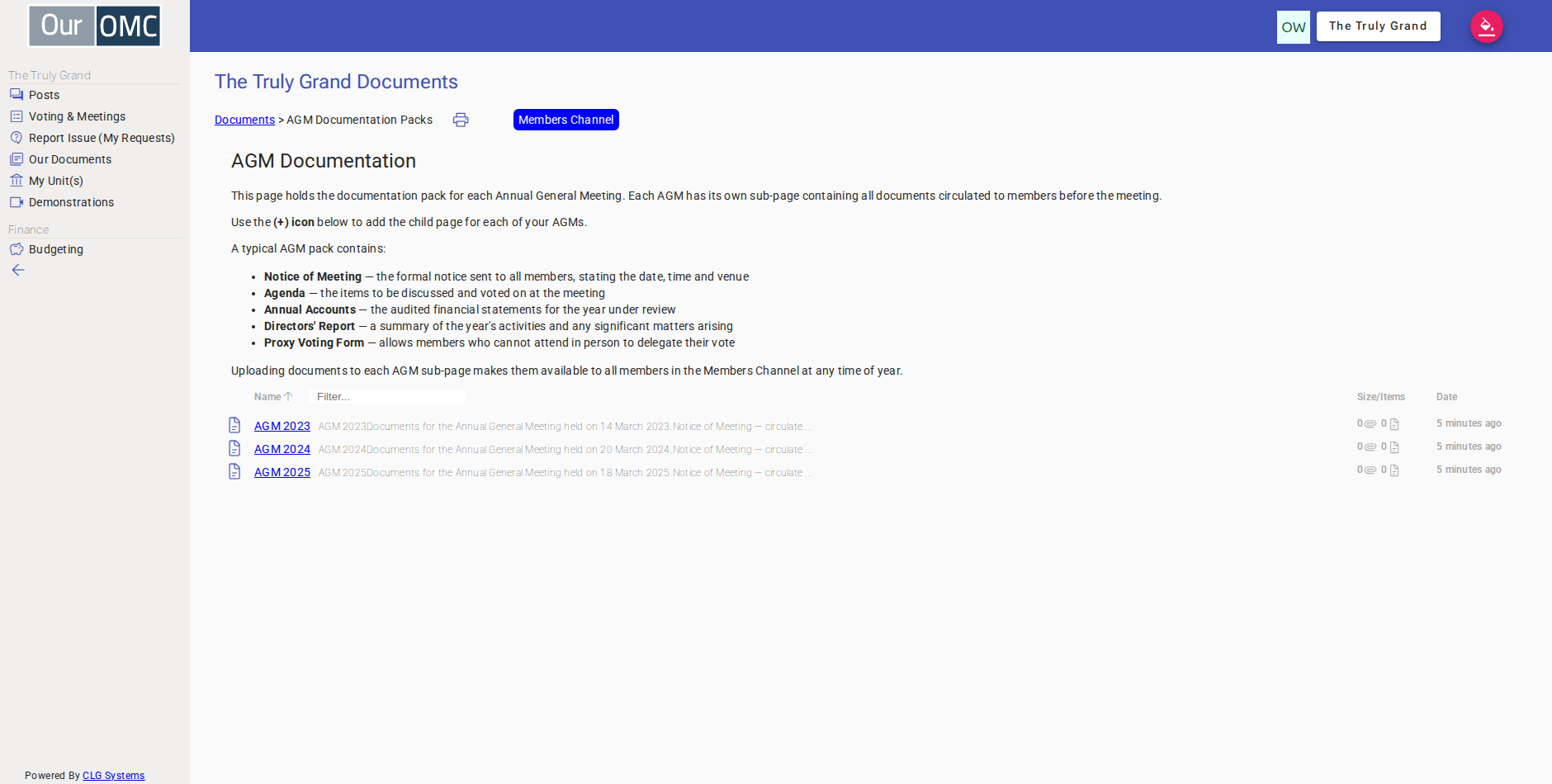
| Field | Type | Description |
|---|---|---|
| Title | text | The name of this document. |
| Access Channel | picklist | The channel that controls who can see this document — for example, the Members Channel means it is visible to unit owners, while the Residents Channel includes all residents. |
| Area | text | The area of the development this document relates to, if it applies to a specific zone rather than the whole OMC. |
| Core | text | The core or block within the development this document applies to, where the OMC is divided into cores. |
| Type | text | The unit type this document is associated with, if it applies to a particular type of unit in the development. |
| Category | text | The unit category this document is associated with, if it applies to a particular category of unit. |
| Items | number | The number of sub-documents nested within this document — click into the document to browse them. |
| Files | number | The number of files attached to this document that you can download. |
| Content | richText | The body text of this document, where the OMC has provided a written description or summary alongside any attached files. |
Examples
Section titled “Examples”Viewing a Document
Section titled “Viewing a Document”Browse the document list and open a document page to read its content or download an attached file.
- Click [Our Documents] on the main menu
- The owner can see all 8 documents across the public, residents and members channels — clicking Residents Channel to filter to residents' documents
- 3 Residents Channel documents are shown — clicking Members Channel switches the filter to members' documents
- 4 Members Channel documents are shown, including one for Castle Block owners only — clicking the active filter again removes it
- All 8 documents are visible with no filter — click a document to read its full content
- The full details of the document and related child documents and attachments can be viewed